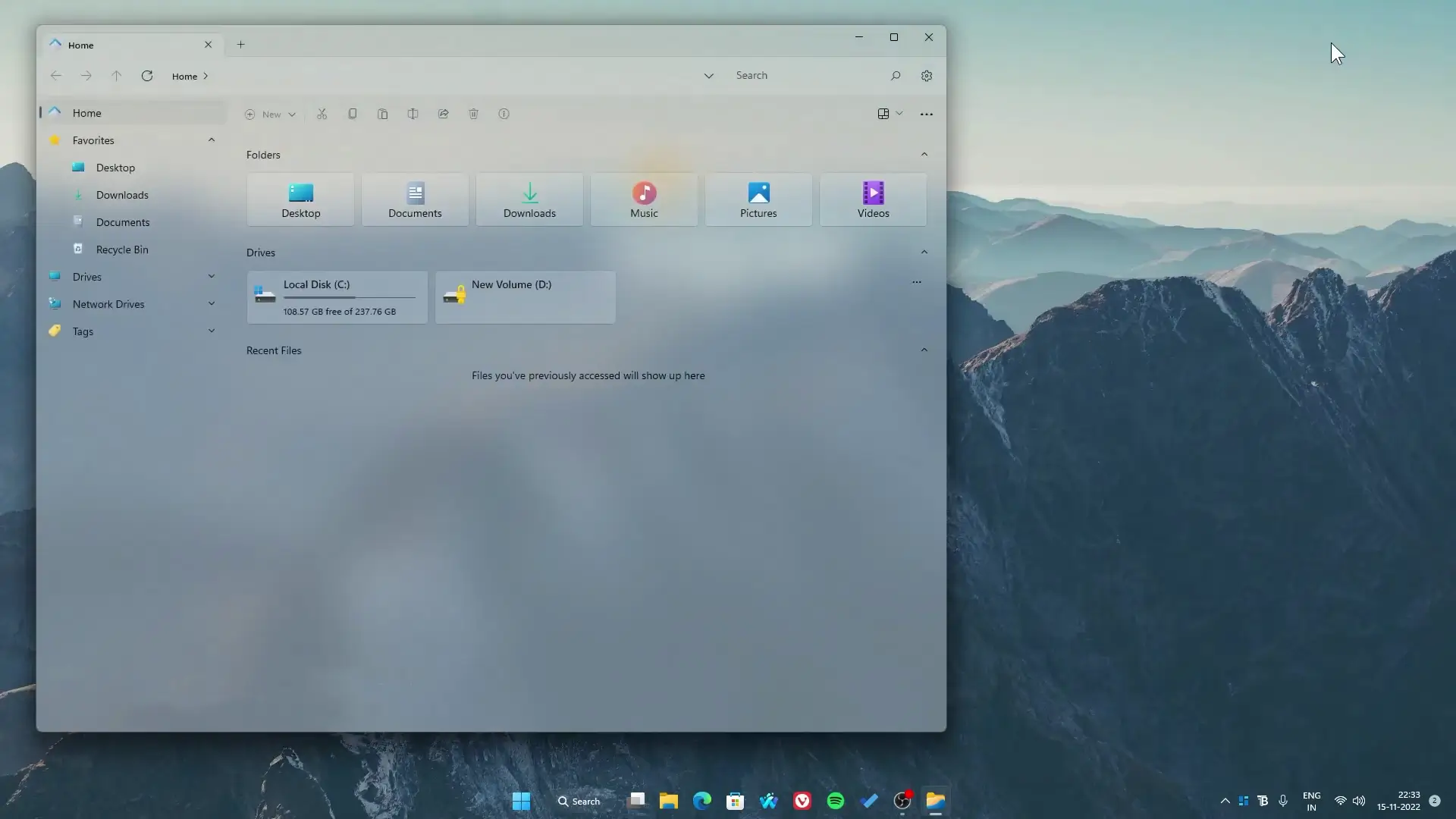
Customizing a Windows desktop has become very popular. Many tutorials usually rely on tools like Rainmeter or other third-party software. But not everyone wants to install extra programs from unknown sources. The good news is that you can still create a clean and stylish desktop using only apps from the Microsoft Store.
In this guide, we will look at a simple method to give your desktop a modern look without using Rainmeter or any external software. Everything used here is free and available directly in the Microsoft Store.
A Different Approach to Windows Customization
Most Windows customization videos focus on advanced tools that require downloading files, widgets, or scripts. While those setups can look impressive, they may feel complicated for beginners.
This setup keeps things simple. Instead of installing several external tools, the entire customization uses only official Microsoft Store apps. That means:
- No manual widget downloads
- No complicated setup
- No risky third-party software
You simply install the apps from the store, adjust a few settings, and your desktop will look completely different.
Minimal and Clean Desktop Style
The goal of this setup is a clean and modern desktop layout. The thumbnail wallpaper shown in the tutorial focuses on a simple visual style that looks smooth and organized.
Instead of filling the screen with too many widgets, this customization keeps things minimal. You get a transparent taskbar, rounded taskbar layout, useful widgets, and a simple file explorer replacement that fits the overall design.
This type of setup is great for people who like a distraction-free workspace while still keeping their desktop visually appealing.
Wallpaper Used in the Setup
A good wallpaper plays an important role in desktop customization. The wallpaper shown in the video thumbnail gives the desktop a clean and aesthetic look.
The design usually works best with minimal icons and centered widgets. When the wallpaper and widgets match well, the whole desktop feels more organized and balanced.
You can download the wallpaper provided in the tutorial and apply it before installing the other apps. This helps recreate the same visual style shown in the setup.
Microsoft Store Apps Used
The following apps are used to build the desktop layout. All of them are available for free in the Microsoft Store.
BeWidgets
BeWidgets allows you to add simple desktop widgets such as:
- Clock
- Date
- Weather
- Photos
These widgets can be customized with different sizes and positions, making it easy to match the wallpaper and desktop layout.
TranslucentTB
TranslucentTB makes the Windows taskbar transparent or blurred. This creates a cleaner look and helps the wallpaper blend smoothly with the taskbar.
It is a lightweight tool and works automatically after installation.
RoundedTB
RoundedTB lets you create rounded corners around the taskbar and adjust taskbar margins. This gives your desktop a modern style similar to many popular customization setups.
You can easily adjust spacing and corner radius through the app settings.
Files App
The Files App is a modern file manager alternative for Windows. It offers a cleaner interface compared to the default Windows File Explorer.
Some benefits include:
- Modern UI design
- Tab support
- Better organization layout
Using this app helps keep the entire desktop theme consistent.
✅ DOWNLOAD ✅
Steps to Apply the Setup
- Download the wallpaper from the tutorial link.
- Open Microsoft Store.
- Install the following apps:
- BeWidgets
- TranslucentTB
- RoundedTB
- Files App
- Configure the widgets and taskbar layout.
- Adjust positions to match your desktop style.
Within a few minutes, your desktop will have a completely new appearance.
Final Thoughts
Windows customization does not always require complex tools. With the right apps from the Microsoft Store, you can create a stylish and modern desktop without installing Rainmeter or other third-party software.
This setup is simple, safe, and beginner-friendly. If you enjoy experimenting with desktop designs, this method is a great way to refresh your workspace quickly.