Many computer users like to customize their desktop so it feels more personal and visually appealing. A gaming-style desktop theme is one of the most popular ways to do this. It adds modern visuals, animated elements, and stylish widgets that make your system look more exciting than the default Windows layout. If you enjoy gaming aesthetics, this theme can give your laptop or desktop a fresh and energetic appearance.
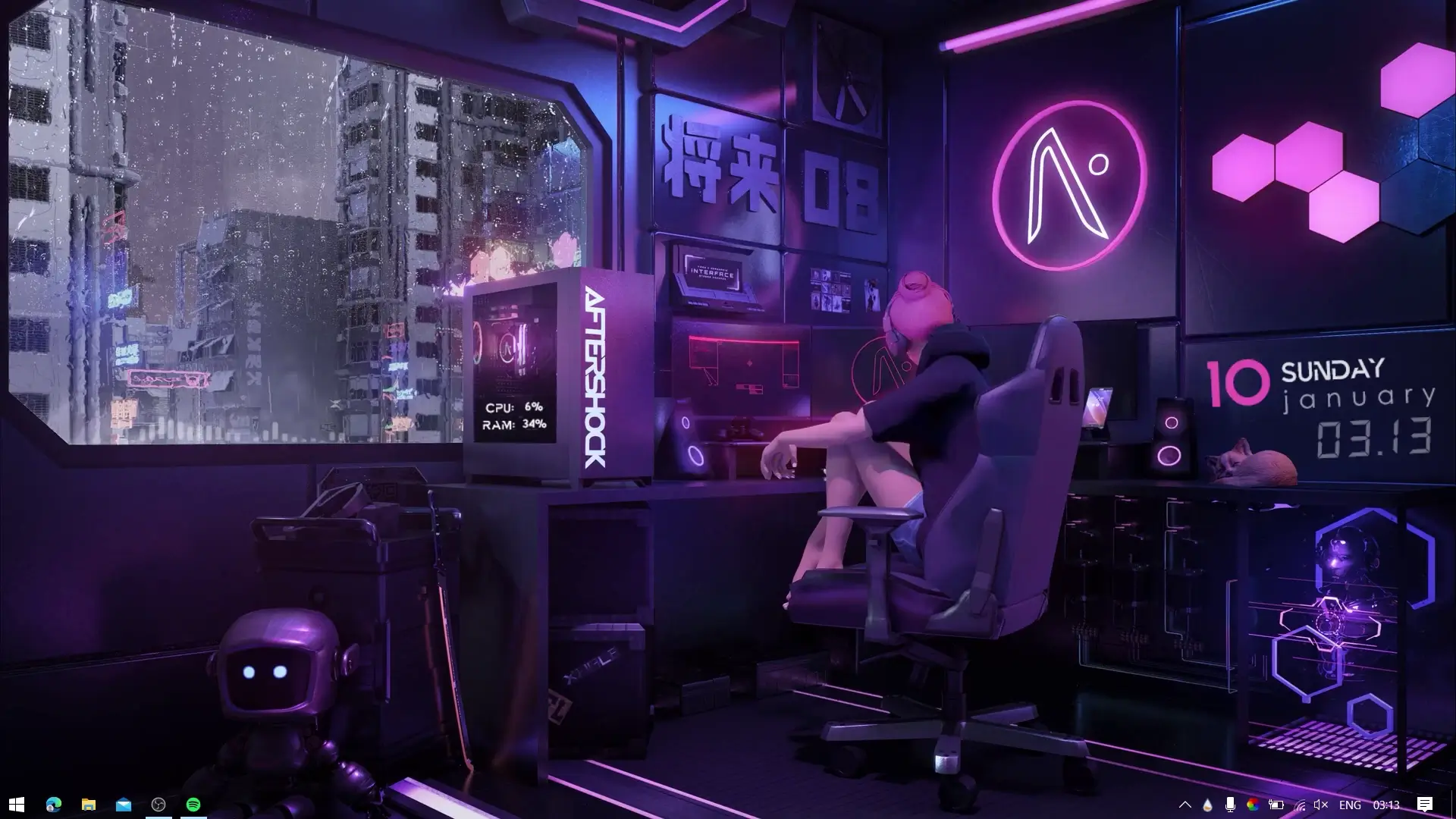
This gaming theme is designed to work smoothly on both Windows 10 and Windows 11, making it accessible for most users. Once installed, it changes the overall look of your desktop by adding a unique wallpaper, visualizer effects, and customizable desktop widgets. The result is a clean and immersive setup that feels inspired by modern gaming interfaces.
What Makes This Gaming Theme Special
One of the main highlights of this theme is its visual customization. Instead of a plain desktop with icons scattered everywhere, this theme organizes the layout in a way that looks more polished. It often includes elements such as audio visualizers, stylish system information panels, and modern desktop widgets.
The visualizer included with the setup reacts to your music or system audio, creating animated bars or patterns that move along with the sound. This effect makes the desktop feel more alive, especially when listening to music or watching videos.
Another advantage is that this theme keeps the desktop minimal and organized. Many users prefer a setup where the desktop looks clean while still showing useful information like time, system usage, or media playback.
Tools Required for the Theme
To use this desktop setup, a few files and tools are required. These help apply the visual effects and widgets properly.
✅ DOWNLOAD ✅
1. Theme ZIP File
The theme ZIP file contains the main assets required for the desktop layout. This usually includes wallpapers, configuration files, and widget setups.
2. Rainmeter
Rainmeter is a popular Windows customization tool that allows users to add widgets and visual elements to their desktop. It is widely used for creating stylish desktop setups, including system monitors, clocks, music visualizers, and more.
3. ASimpleVisualizer2
This is a Rainmeter visualizer skin that creates animated bars reacting to audio playing on your computer. It adds a gaming-style effect to the desktop, especially when music is playing.
Once these components are installed, they work together to create the final desktop appearance.
Compatibility with Windows
This gaming theme is designed to work on both Windows 10 and Windows 11 systems. Since it mainly uses Rainmeter for customization, it remains lightweight and does not significantly affect system performance.
Even laptops with moderate specifications can run Rainmeter widgets smoothly. However, keeping unnecessary background programs closed can help maintain better performance.
How This Theme Improves Your Desktop Experience
Custom themes are not only about looks. They can also make the desktop more enjoyable to use. A visually appealing environment can improve the overall experience while working, browsing, or playing games.
For users who spend many hours on their computer, having a customized desktop can make the system feel more personal. Gamers especially enjoy setups that reflect their interest in gaming culture, futuristic interfaces, and animated elements.
Another benefit is that themes like this are fully customizable. Users can change wallpapers, adjust visualizer styles, or rearrange widgets according to their preference.
Final Thoughts
If you want to make your desktop look modern and gaming-inspired, this theme can be a good option. With the help of Rainmeter and the included visualizer, your system can look much more dynamic than the standard Windows interface.
The setup is simple, compatible with Windows 10 and Windows 11, and offers a visually engaging desktop layout. Once installed, it can transform an ordinary desktop into a stylish gaming-style workspace.
After downloading the required files, follow the installation steps shown in the video to apply the theme correctly and enjoy your new desktop look.