Customizing your desktop can make your computer feel more personal and enjoyable to use. Many people like adding live wallpapers and small widgets to give their desktop a unique look. In this guide, we will talk about a snow live wallpaper desktop theme that can make your laptop or desktop look clean, stylish, and relaxing.
This theme uses Rainmeter, which is a popular desktop customization tool for Windows. The theme adds a beautiful snow effect on your desktop while keeping your system performance smooth.
What Is Rainmeter?
Rainmeter is a free Windows application that allows users to customize their desktop using widgets, skins, and visual effects. With Rainmeter, you can display things like:
- System usage (CPU, RAM, disk)
- Weather information
- Clock and calendar
- Music player controls
- Custom wallpapers and visual effects
The best part about Rainmeter is that it is lightweight. Even with multiple skins running, it usually uses very little CPU and RAM, which means your system performance stays stable.
About the Snow Theme
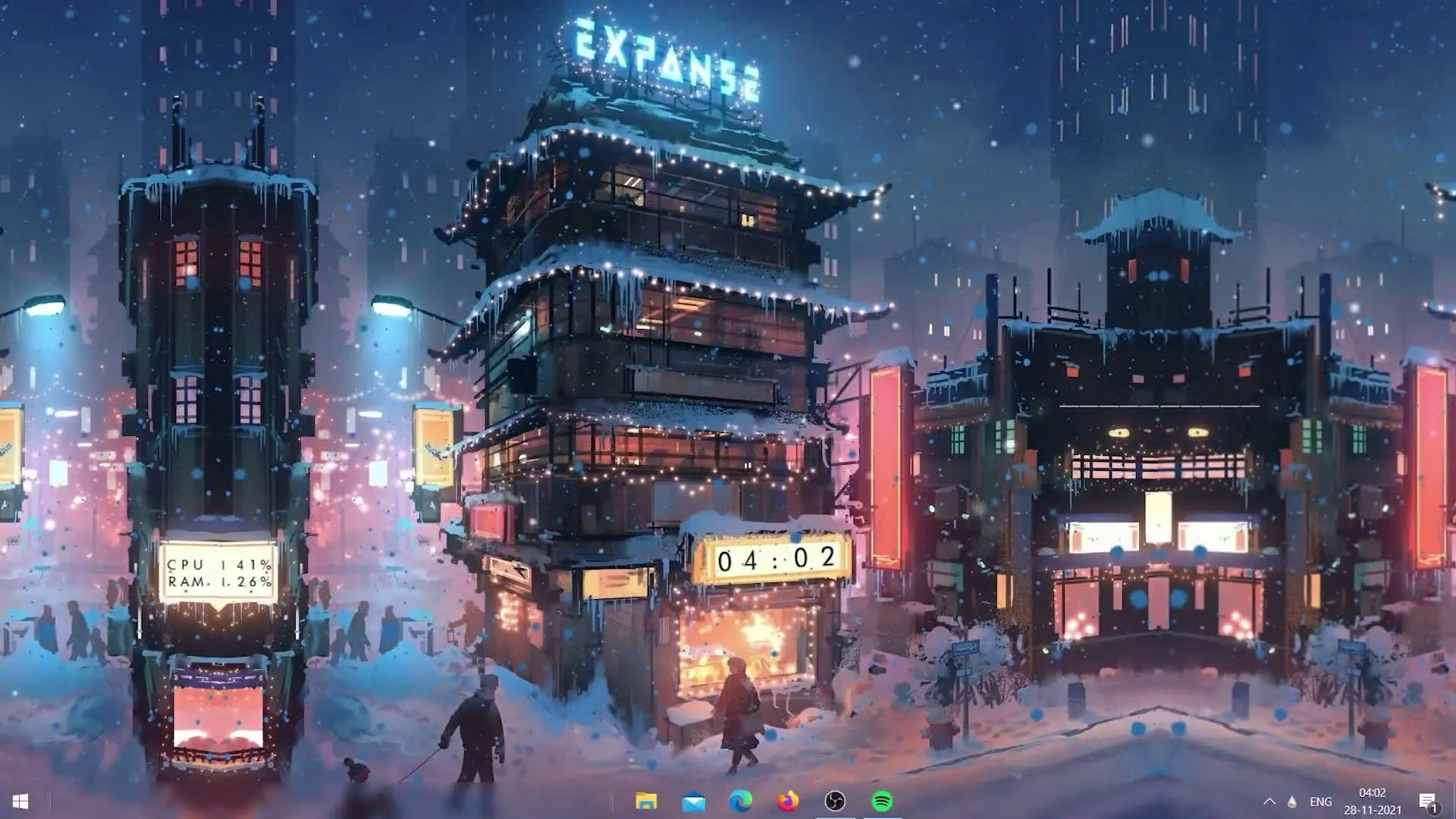
The snow live wallpaper theme adds a snowfall effect on your desktop, creating a calm and winter-style appearance. It works well on both laptops and desktop computers.
Unlike many animated wallpapers that consume a lot of system resources, this theme is designed to be lightweight. That means it will not slow down your computer even if you keep it running for long periods.
The snow animation runs smoothly in the background while you continue using your computer normally.
Why This Theme Is Different
Many live wallpapers look great but often use high system resources. This theme focuses on visual quality while keeping performance optimized.
Some key advantages include:
- Lightweight animation
- Low CPU usage
- Minimal RAM consumption
- Smooth performance
- Easy setup with Rainmeter
Because of these features, it is suitable even for systems with moderate specifications.
How the Setup Works
The setup process is simple and can be done in a few minutes. The video guide explains every step clearly so users can follow along without confusion.
Generally, the setup includes these steps:
- Download and install Rainmeter.
- Extract the theme ZIP file.
- Install the theme skin inside Rainmeter.
- Activate the snowfall effect on your desktop.
Once installed, the theme will start running immediately and your desktop will display the animated snow effect.
Things to Keep in Mind
Before installing any desktop theme, make sure you download the files from a trusted source. This helps keep your system safe and ensures the theme works properly.
It is also recommended to keep Rainmeter updated so that skins and themes run smoothly without compatibility issues.
✅ DOWNLOAD ✅
Final Thoughts
If you enjoy customizing your desktop, the snow live wallpaper Rainmeter theme is a great option. It provides a clean winter-style look while keeping system resource usage low.
Because it is lightweight and easy to install, both beginners and experienced users can set it up without much effort. By following the steps shown in the video, you can quickly transform your desktop into a unique and visually pleasing workspace.