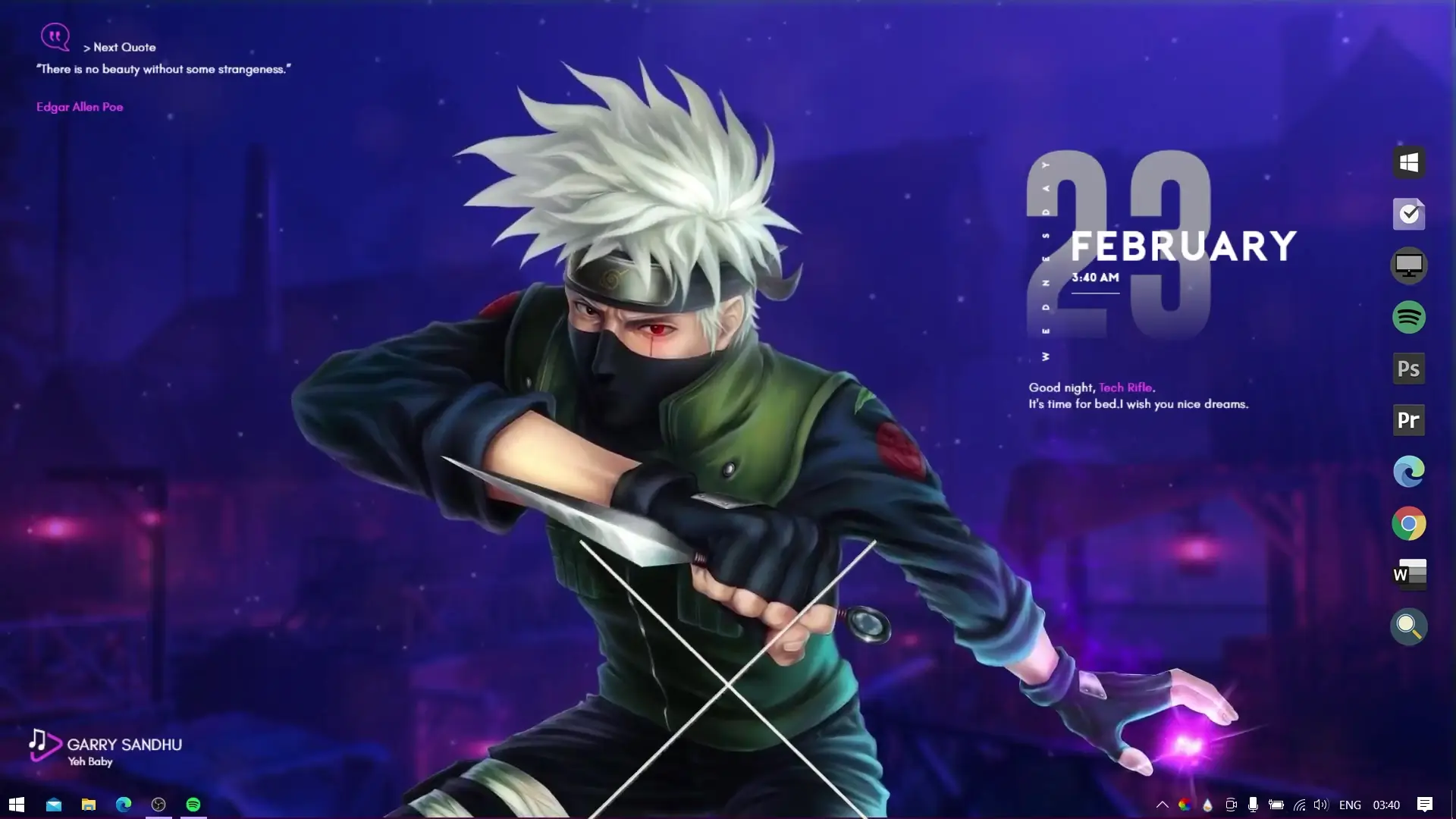
If you are a fan of the anime series Naruto, customizing your desktop with a themed setup can make your PC look much more exciting. A Naruto live wallpaper setup adds animation, themed icons, and useful desktop widgets while keeping your system smooth and responsive. Many users request anime-based desktop themes, and Naruto remains one of the most popular choices.
This Naruto theme package is designed to be lightweight, meaning it runs smoothly on most PCs without causing lag. Along with the animated wallpaper, the theme also includes a normal static wallpaper option. So if you prefer a simpler background instead of animation, you can easily use the static version included in the ZIP file.
This guide explains what is included in the theme and how to install everything properly on your computer.
What Is Included in the Naruto Theme Pack
The theme package contains several files and tools that work together to transform your desktop appearance. After downloading the ZIP file, you will find the following components:
1. Naruto Live Wallpaper
The animated wallpaper adds motion to your desktop background. It creates a dynamic anime-themed environment without using too many system resources.
2. Naruto Static Wallpaper
For users who prefer a simple background, the theme pack also includes a normal high-quality Naruto wallpaper.
3. Custom Dock Icons
The pack includes a set of themed icons that can be used with Winstep Nexus Dock to create a stylish dock on your desktop.
4. Rainmeter Widgets
Rainmeter skins are included to add useful widgets like system information or visual elements that match the Naruto theme.
5. Optional Wallpaper Engine Version
If you already have Wallpaper Engine on Steam, the creator also provides a version of the Naruto live wallpaper designed specifically for that application.
Software Required
Before applying the theme, you will need to install a few free programs that allow the customization to work properly.
✅ DOWNLOAD ✅
These programs are safe and widely used for desktop customization.
How to Install the Naruto Live Wallpaper Theme
Follow these steps carefully to apply the theme on your PC.
1. Download and Extract the Theme Files
First download the theme ZIP file along with the required software. Once the download is complete, extract the ZIP file to a convenient location on your computer.
2. Apply the Wallpaper
Inside the extracted folder you will find the Naruto wallpapers. You can set the static wallpaper immediately if you want a simple background.
For the animated version, install Lively Wallpaper from the Microsoft Store. Open the application and import the Naruto live wallpaper file, then activate it.
3. Install the Dock Icons
Next, locate the folder named dock_icons inside the Winstep Nexus Dock folder from the theme package.
Move this folder to:
C:\dock_icons
After that, install Winstep Nexus Dock and open its settings.
Go to:
Nexus Dock Settings → Advanced → Restore
A file selection window will appear. Navigate to C:\dock_icons and choose the file named wsbackup.wbk. Once selected, the dock icons will automatically change to the Naruto themed icons.
4. Install Rainmeter Widgets
Now install Rainmeter on your system.
After installation:
- Unload any default widgets.
- Go to the theme ZIP folder.
- Open Rainmeter Skins.
- Move the Ageo folder to:
Documents → Rainmeter → Skins
Finally open Rainmeter and load the widgets included in the Ageo folder.
Final Result
Once all the steps are completed, your desktop will display:
- Naruto live animated wallpaper
- Custom anime dock icons
- Stylish Rainmeter widgets
- A complete anime-themed desktop setup
The theme is optimized to remain lightweight, so it should run smoothly even on mid-range computers.
Info: If you have steam with wallpaper engine installed then you can also download naruto live wallpaper that i specifically made for Wallpaper Engine