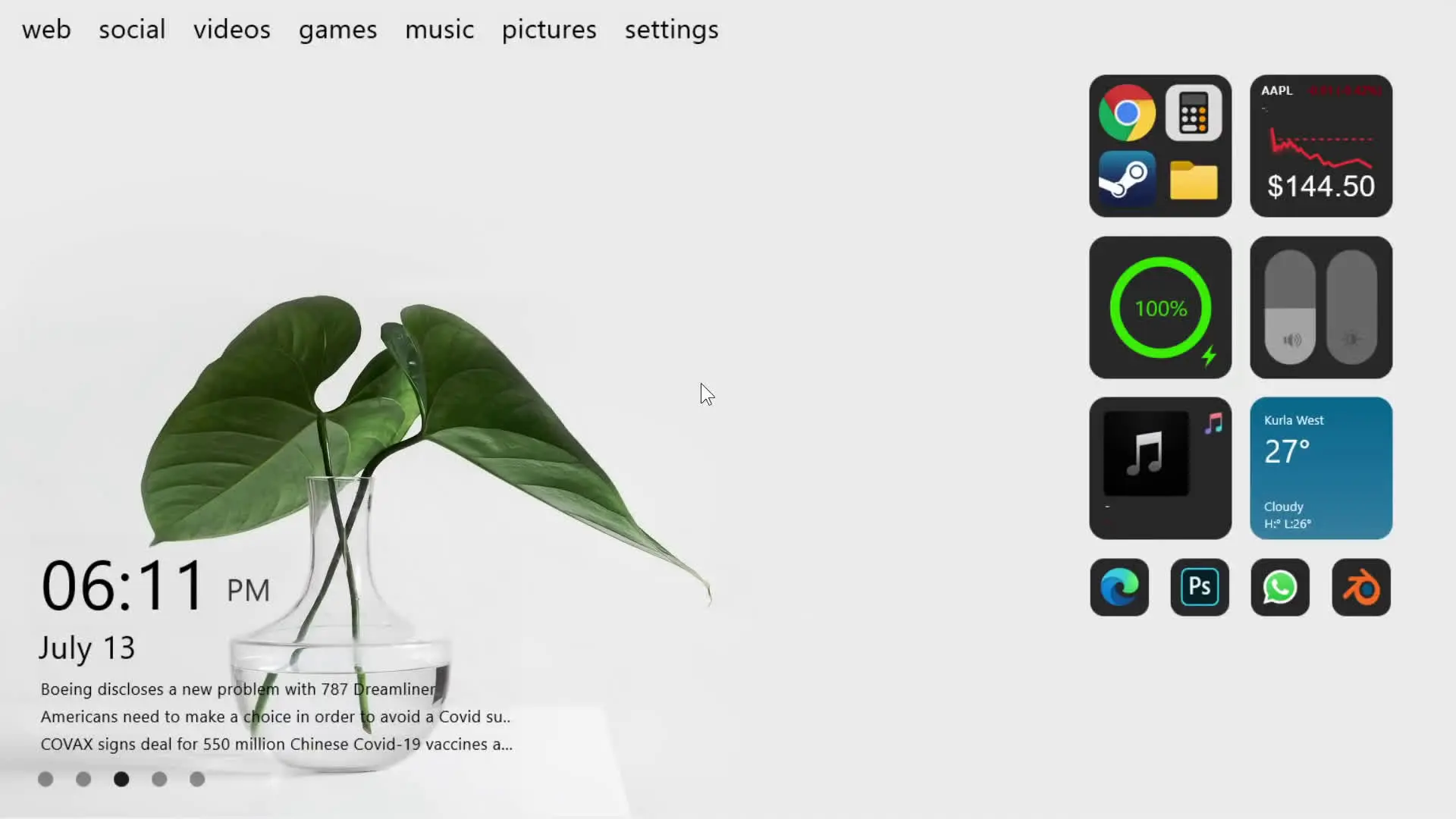
Your computer desktop is something you see every day, so making it visually appealing can improve both your mood and your workspace experience. A clean and stylish desktop not only looks good but also makes your computer feel more personal. In this tutorial inspired by the Tech Rifle video, you will learn how to transform your desktop into a modern and eye-catching setup using a simple customization method.
Why Customize Your Desktop?
Most computers come with a default desktop layout that looks plain and unorganized. By customizing your desktop, you can create a unique environment that reflects your style. It can also help you keep things neat and easier to use.
A customized desktop can provide several benefits:
- Better visual experience while using your computer
- A cleaner and more organized workspace
- A personalized look that stands out from the default design
With the right tools and wallpaper, you can change the entire feel of your desktop in just a few minutes.
Tools Required for This Setup
To make your desktop look awesome like shown in the video, you will need two simple resources.
1. Screen Styler
Screen Styler is a customization tool that allows you to add stylish widgets and elements to your desktop. It helps you organize items on your screen while also giving your desktop a modern look.
2. Leaf Wallpaper
A high-quality wallpaper plays a big role in desktop appearance. In this setup, a leaf-themed wallpaper is used to create a calm and aesthetic background. The wallpaper blends well with the widgets and makes the overall design look clean.
Download Links 👇🏻
After downloading these resources, you can start setting up your desktop.
Step-by-Step Guide to Make Your Desktop Look Awesome
Follow these simple steps to apply the customization shown in the tutorial.
Step 1: Download the Required Files
First, download the Screen Styler tool and the leaf wallpaper from the provided download links.
Step 2: Install Screen Styler
Once the download is complete, install Screen Styler on your computer. After installation, open the program so you can begin customizing your desktop.
Step 3: Apply the Leaf Wallpaper
Next, set the leaf wallpaper as your desktop background. A good wallpaper acts as the foundation for the entire design.
To do this:
- Right-click on the wallpaper file
- Select Set as Desktop Background
Now your desktop will have a fresh and clean base look.
Step 4: Add Desktop Widgets with Screen Styler
Open Screen Styler and add the widgets or elements you prefer. These widgets can include clocks, information panels, or design elements that make your desktop look more modern.
Arrange them in a way that keeps the desktop balanced and visually appealing.
Step 5: Organize Icons and Layout
After placing the widgets, organize your desktop icons. Try keeping only the important icons on the desktop and move the rest into folders. This will help maintain a clean and minimal appearance.
Tips for a Better Desktop Setup
Here are a few extra tips to make your desktop look even better:
- Use minimal icons to avoid clutter
- Choose wallpapers that match the widget colors
- Place widgets neatly instead of spreading them randomly
- Keep frequently used shortcuts easily accessible
A simple and clean layout often looks more professional than a crowded desktop.
Final Thoughts
Transforming your desktop does not require complicated software or advanced technical skills. With tools like Screen Styler and a good wallpaper, you can quickly create a stylish desktop environment that looks modern and organized.
If you follow the step-by-step process shown in the Tech Rifle tutorial, you can easily give your computer a fresh and awesome look. Small changes in design and layout can make a big difference in how your desktop feels and functions.
Try this setup yourself and enjoy a cleaner, more visually appealing desktop experience.