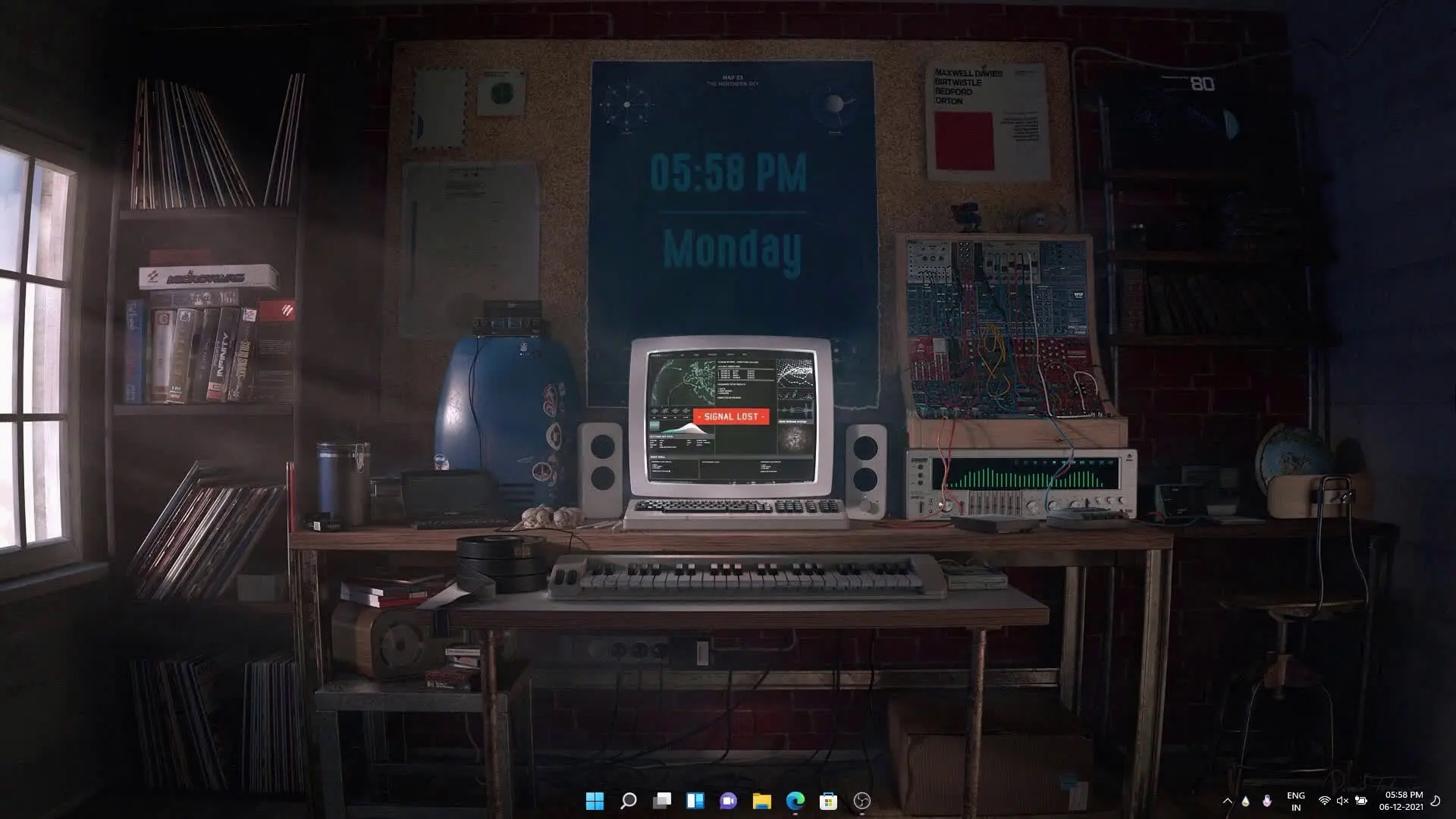
Many Windows users enjoy customizing their desktop to give it a unique look. While modern themes focus on minimal and futuristic designs, some people prefer the classic appearance of older computers. A 90s vintage desktop theme brings back the nostalgic style of early Windows PCs while still running smoothly on modern systems like Windows 10 and Windows 11.
This theme recreates the feeling of using a desktop computer from the 1990s. It combines classic design elements with modern customization tools so users can enjoy the old-school aesthetic without sacrificing functionality.
What Is the 90s Vintage Windows Theme?
The 90s vintage theme is a desktop customization package that transforms the look of your Windows PC. Once installed, your desktop interface will resemble the classic computers used during the 1990s.
The theme includes retro-style wallpapers, widgets, and visual effects that match the design language of older operating systems. Icons, taskbar styling, and desktop widgets are carefully arranged to give a consistent vintage look.
One interesting aspect of this setup is how the wallpapers and widgets blend together. Instead of looking like separate elements placed on the screen, they appear as if they are part of one complete interface. This creates a smooth and visually appealing desktop environment.
The theme was originally created by a Reddit user named PaperTronics, who designed the layout and customization elements to recreate the classic desktop feel.
Tools Required to Install the Theme
To install the 90s vintage desktop theme properly, a few customization tools are required. These tools allow you to change the appearance of your desktop and add widgets.
✅ DOWNLOAD ✅
Rainmeter
Rainmeter is one of the most popular desktop customization tools for Windows. It allows users to add widgets such as clocks, system monitors, music players, and other visual elements directly to the desktop.
For this theme, Rainmeter is used to load the vintage widgets and interface elements that appear on the screen.
Theme ZIP File
The theme ZIP file contains the main files required for the setup. This usually includes wallpapers, Rainmeter skins, configuration files, and other components needed to recreate the vintage desktop design.
After downloading the file, users typically extract it and load the components using Rainmeter.
Monstercat Visualizer
Monstercat Visualizer is a Rainmeter plugin that displays animated audio visualizations. When music plays on your computer, the visualizer reacts to the sound and creates dynamic bars or wave patterns.
In this theme setup, the visualizer adds a modern touch while still matching the overall desktop style.
TaskbarX
TaskbarX is used to customize the Windows taskbar. It allows users to center icons, adjust spacing, and modify taskbar behavior.
Using TaskbarX helps complete the visual layout of the theme and improves the overall desktop appearance.
Features of the Vintage Desktop Setup
This theme offers several interesting visual and functional features.
Classic 90s desktop appearance
The entire setup recreates the feeling of old desktop computers with a retro design.
Matching wallpapers and widgets
All elements are designed to blend perfectly with each other.
Music visualizer support
With Monstercat Visualizer, your desktop becomes more dynamic when playing audio.
Clean desktop layout
The arrangement of widgets and icons keeps the desktop organized while maintaining the vintage style.
Compatible with Windows 10 and Windows 11
Despite its retro appearance, the theme works smoothly on modern versions of Windows.
Why People Like Retro Desktop Themes
Retro themes have become popular again because they remind users of the early days of personal computing. Many people enjoy the simple and colorful interface styles from older operating systems.
Using a vintage theme can also make your desktop feel more personal compared to the default Windows layout. Instead of the standard interface, your PC gets a unique look that stands out.
Final Thoughts
If you enjoy customizing your Windows desktop, the 90s vintage theme is an interesting option to try. It combines nostalgic design with modern tools like Rainmeter and TaskbarX to create a unique desktop environment.
With the right setup, your Windows PC can look like a classic computer from the past while still delivering the performance of a modern system.