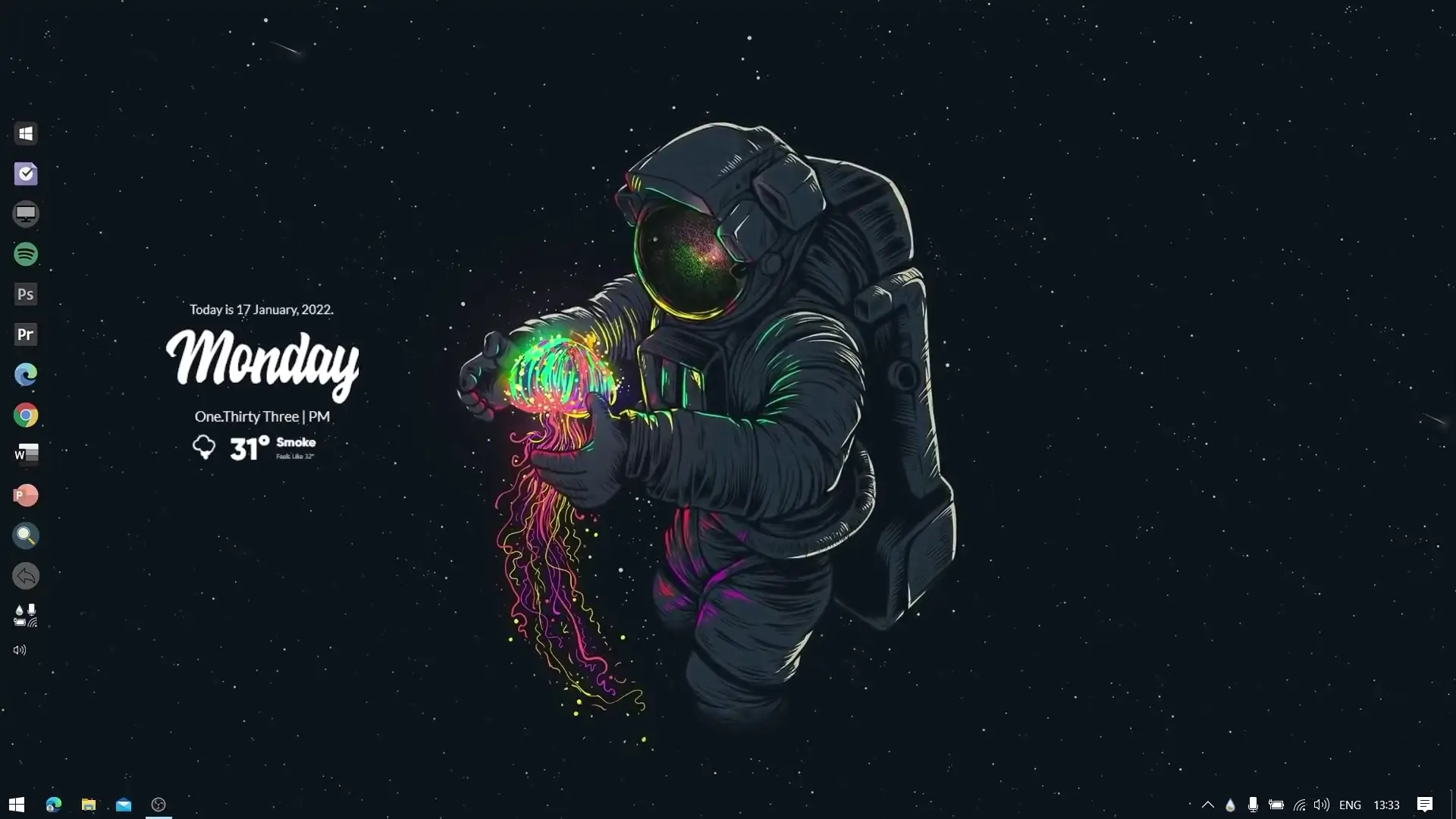
Many people like to customize their computer desktop so it looks clean, modern, and visually appealing. With the right tools and a few simple steps, you can completely change the appearance of your Windows desktop. This guide explains how you can create an awesome desktop setup similar to the one shown in the video using popular customization tools. The setup works on both Windows 10 and Windows 11 and does not require heavy system resources.
Why Customize Your Desktop?
Your desktop is the first thing you see when you turn on your computer. A well-designed desktop can make your system look more organized and enjoyable to use. Custom themes allow you to add widgets, stylish docks, and beautiful wallpapers that transform the standard Windows interface into something unique.
Many users think that desktop customization tools use too much CPU or RAM. In reality, most modern customization tools are lightweight and run smoothly even on mid-range computers. When configured properly, they use minimal system resources and do not affect daily performance.
Tools Needed for the Setup
To recreate this desktop look, you will need a few commonly used customization tools. These programs are widely used in the Windows customization community.
✅ DOWNLOAD ✅
1. Theme Pack
The theme pack contains wallpapers, configuration files, and layout settings required to achieve the final desktop design. After downloading the theme ZIP file, extract it to a folder on your computer so you can access the files easily.
2. Winstep Nexus Dock
Winstep Nexus Dock is a popular application that adds a stylish dock to your desktop. It works similarly to the dock seen on macOS systems, allowing you to place frequently used apps in a convenient location. The dock also supports animations, reflections, and different icon styles.
Once installed, you can customize the dock position, icon size, and appearance according to your preference.
3. Rainmeter
Rainmeter is one of the most widely used desktop customization tools for Windows. It allows you to add widgets such as clocks, system monitors, weather panels, music controls, and more. These widgets are called “skins.”
Rainmeter skins can be arranged anywhere on the desktop, allowing you to build a layout that looks both functional and stylish.
Step-by-Step Setup Guide
Step 1: Install Rainmeter
Download and install Rainmeter on your system. After installation, open the application and load the skins included in the theme pack.
These skins will display useful information like time, date, and system stats while enhancing the overall desktop design.
Step 2: Install Winstep Nexus Dock
Next, install Winstep Nexus Dock and launch it. The dock will appear on your screen where you can add your favorite applications such as browsers, folders, or software shortcuts.
You can change the dock style to match the theme so the entire desktop looks consistent.
Step 3: Apply the Theme Files
Extract the theme ZIP file and follow the included instructions to apply the theme elements. This usually involves importing Rainmeter skins and setting the correct wallpaper.
After everything is applied, your desktop should look similar to the setup shown in the video.
Performance and System Usage
One common concern among users is that customization tools may slow down their computer. However, applications like Rainmeter and Winstep Nexus Dock are optimized to run efficiently.
On most systems, they use only a small amount of RAM and CPU resources. As long as you avoid loading too many widgets at once, the performance impact will remain minimal.
Final Thoughts
Desktop customization is a great way to personalize your Windows experience. By using tools like Rainmeter and Winstep Nexus Dock along with a well-designed theme pack, you can transform a simple desktop into a clean and attractive workspace.
If you enjoy customizing your computer, experimenting with different skins, docks, and layouts can help you create a setup that perfectly matches your style and workflow.