
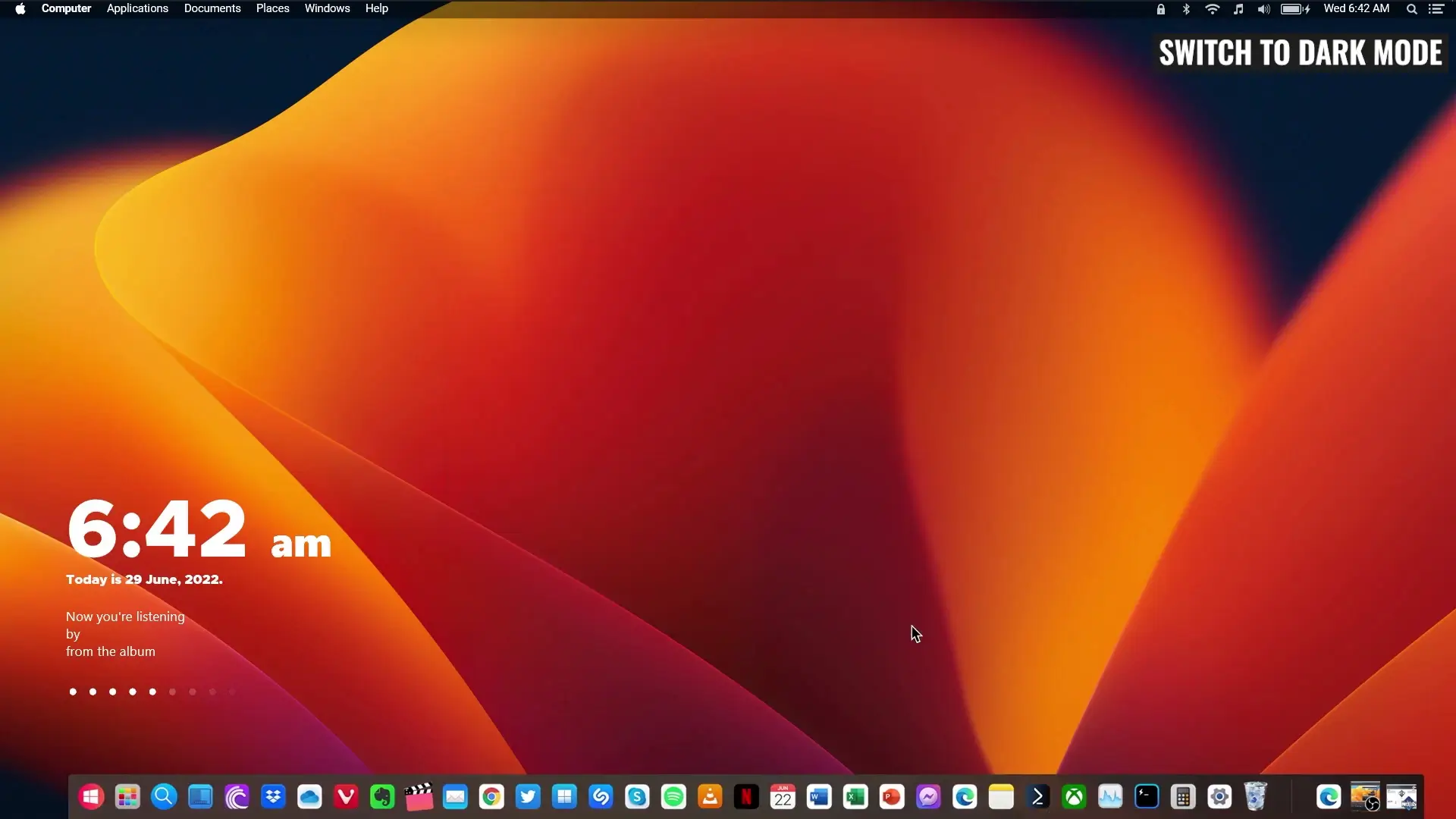
Many Windows users like the clean and minimal look of macOS. The dock, smooth interface, and simple design make it visually appealing. The good news is that you can make your Windows computer look similar to macOS without modifying system files or using complicated tools.
In this guide, you will learn a simple and lightweight method to transform the appearance of Windows using free software. This approach is safe, easy to install, and also very easy to remove if you want to return to the default Windows interface.
Why Use This Method?
Earlier methods for macOS themes on Windows required software like UltraUXThemePatcher, which modifies system files. While those methods worked, they could sometimes cause stability issues or make it harder to revert changes.
This method avoids all of that.
Advantages of this setup:
- No system file modification
- Safe and lightweight
- Completely reversible
- Uses free software
- Easy installation process
Because it does not interfere with core Windows files, it is a much safer option for beginners.
Software Required
To create the macOS-style interface on Windows, you will need a few small tools. Each one adds a specific feature that helps replicate the macOS experience.
Download macOS Theme for Windows
- Rainmeter
- macOS Theme <- Zip File
- Nexus Dock
- WinLaunch
Download the file from the above link and setup the theme as shown in my video. Its very easy and as i said earlier that it also very easy to remove.
Optional Software for macOS Theme
1. Rainmeter
Rainmeter is a popular desktop customization tool for Windows. It allows you to add widgets, skins, and visual elements to your desktop. In this setup, Rainmeter helps apply the macOS-style visual components.
2. macOS Theme (Zip File)
The macOS theme package contains icons, wallpapers, and configuration files required to give Windows the macOS appearance. After downloading, you simply extract the zip file and follow the setup instructions.
3. Nexus Dock
The macOS dock is one of its most recognizable features. Nexus Dock recreates that experience on Windows by placing an animated dock at the bottom of the screen where you can pin applications.
4. WinLaunch
WinLaunch provides a macOS-style launchpad where you can organize applications in a grid layout. This makes opening apps quick and visually similar to the macOS Launchpad feature.
Installation Steps
Follow these simple steps to apply the macOS-style theme:
Step 1: Download All Required Files
First, download all the required software and theme files from the provided download link.
The files include:
- Rainmeter
- macOS Theme Zip File
- Nexus Dock
- WinLaunch
Make sure everything is downloaded before starting the setup.
Step 2: Install Rainmeter
Install Rainmeter normally and allow it to run in the background. This program will manage the visual elements of the theme.
Step 3: Extract and Apply the macOS Theme
Extract the macOS theme zip file. Inside the folder, you will find configuration files and skins. Import them into Rainmeter as shown in the video guide.
This will apply the macOS-style widgets and desktop elements.
Step 4: Install Nexus Dock
Install Nexus Dock and position it at the bottom of the screen. You can add your favorite apps to the dock so they appear similar to the macOS dock.
Step 5: Install WinLaunch
After installing WinLaunch, you can organize your applications into folders and grids just like the macOS Launchpad.
Optional Customization Tools
You can also add a few optional tools for additional macOS-style customization.
Aerial
Aerial allows you to customize the top bar and desktop visuals, adding more macOS-like design elements.
Bluesh
Bluesh can provide extra visual improvements and desktop effects depending on how you want your setup to look.
These tools are optional, but they can make the interface feel closer to macOS.
Easy to Remove
One of the best things about this setup is that it does not change any Windows system files. If you ever want to remove the macOS look, simply uninstall the software you installed:
- Rainmeter
- Nexus Dock
- WinLaunch
Once removed, your system will return to the default Windows appearance.
Final Thoughts
Transforming Windows to look like macOS is easier than ever with lightweight customization tools. By using Rainmeter, Nexus Dock, and WinLaunch, you can create a clean macOS-style desktop without touching system files.
The setup process is simple, safe, and reversible, making it a great option for anyone who enjoys customizing their Windows desktop.











123467890