Customizing your desktop is one of the easiest ways to make your computer feel more personal and visually appealing. Many people enjoy adding animated wallpapers, widgets, and minimal layouts that make their setup look modern and clean. In this tutorial, a unique desktop theme is demonstrated using Wallpaper Engine and Rainmeter, combining animated visuals with useful widgets like time and system information.
This setup focuses on simplicity while still creating a stylish desktop environment that looks impressive without being overly complicated.
A Clean and Modern Desktop Look
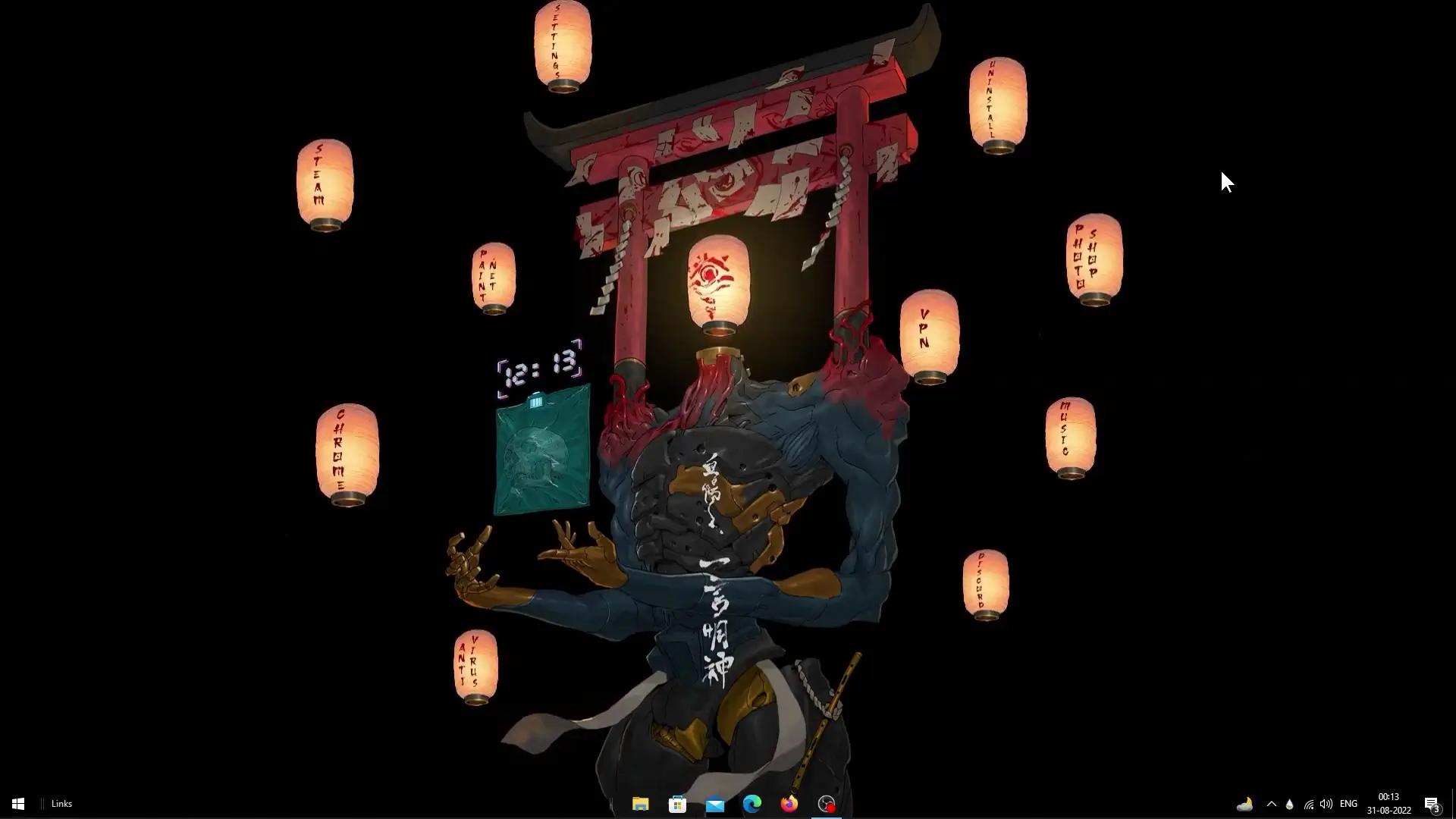
The theme shown in the tutorial features a dark aesthetic wallpaper paired with minimal Rainmeter widgets. Dark wallpapers are popular because they reduce visual strain and make widgets stand out clearly on the screen.
The wallpaper used in the setup comes from Wallpaper Engine, a popular software that allows users to apply animated or interactive wallpapers to their desktop. Animated wallpapers can include moving elements, subtle lighting effects, or looping visuals that bring the desktop to life.
When combined with Rainmeter widgets, the desktop becomes both beautiful and functional.
Wallpaper Source and Theme Credits
The animated wallpaper used in this theme was created by a Wallpaper Engine creator named Duck and Grim. Their wallpaper provides the base visual style for the entire desktop setup.
For widgets, the theme uses a Rainmeter skin created by a Reddit user known as u/Space-Snake. Rainmeter skins allow users to add small desktop widgets such as clocks, system monitors, or shortcuts.
In this setup, some of the skins were slightly modified to improve functionality. One example is the addition of a time display option, which normally appears only for Wallpaper Engine users. By adjusting the Rainmeter configuration, the time widget can still be shown as part of the theme layout.
These small tweaks help make the desktop both attractive and practical for everyday use.
What Makes This Desktop Setup Special
One of the best parts of this setup is how simple it is while still looking polished. Instead of filling the desktop with too many widgets or icons, the theme keeps things minimal.
Key highlights of the setup include:
- Animated wallpaper from Wallpaper Engine
- Minimal Rainmeter widgets
- A clean layout with limited clutter
- Time display integrated into the theme
- Smooth and modern visual style
Because of the minimal design, the desktop remains easy to use while still feeling unique.
✅ DOWNLOAD ✅
About the Tutorial and Upload Delay
The creator of the tutorial also shared a personal message with viewers. There has been a short break in uploads for more than ten days because they are currently focusing on recovering from depression. It has been a long process for them, lasting more than a year, and they are still working through it.
Due to this, replies to comments may take some time. However, the tutorial was still shared for viewers who enjoy desktop customization and want to try the theme themselves.
Many people find customizing their desktop relaxing, and sharing setups like this can help others discover new ideas for their own computer environment.
Download and Setup
To recreate the desktop shown in the tutorial, you will need the following components:
- Theme setup files
- Rainmeter skins
- Wallpaper Engine wallpaper
After downloading the files, install Rainmeter and apply the provided skins. Then load the wallpaper through Wallpaper Engine to complete the look.
Once everything is applied, your desktop will match the theme shown in the tutorial.
Final Thoughts
Desktop customization is a fun way to give your computer a fresh appearance. By combining animated wallpapers with Rainmeter widgets, it becomes possible to create a setup that is both stylish and useful.
This theme is a good example of how a few simple elements can transform a normal desktop into something visually appealing. If you enjoy experimenting with different layouts, this setup can be a great starting point for building your own personalized desktop environment.